名称
ST_Clip — 返回由输入几何图形裁剪的栅格。如果未指定波段号,则处理所有波段。如果未指定 crop 或其值为 TRUE,则输出栅格将被裁剪。如果 touched 设置为 TRUE,则包括接触到的像素;否则,仅当像素的中心位于几何图形内时,才会包括该像素。
大纲
raster ST_Clip(raster rast, integer[] nband, geometry geom, double precision[] nodataval=NULL, boolean crop=TRUE, boolean touched=FALSE);
raster ST_Clip(raster rast, integer nband, geometry geom, double precision nodataval, boolean crop=TRUE, boolean touched=FALSE);
raster ST_Clip(raster rast, integer nband, geometry geom, boolean crop, boolean touched=FALSE);
raster ST_Clip(raster rast, geometry geom, double precision[] nodataval=NULL, boolean crop=TRUE, boolean touched=FALSE);
raster ST_Clip(raster rast, geometry geom, double precision nodataval, boolean crop=TRUE, boolean touched=FALSE);
raster ST_Clip(raster rast, geometry geom, boolean crop, boolean touched=FALSE);
Description
返回由输入几何体 geom 裁剪的栅格。 如果未指定波段索引,则处理所有波段。
ST_Clip 生成的栅格必须为剪切区域分配一个节点数据值,每个波段一个。 如果未提供任何内容,并且输入栅格未定义 nodata 值,则生成的栅格的 nodata 值将设置为 ST_MinPossibleValue(ST_BandPixelType(rast, band))。 当数组中的nodata值的数量小于波段的数量时,数组中的最后一个值用于剩余的波段。 如果节点数据值的数量大于波段数量,则忽略多余的节点数据值。 所有接受节点数据值数组的变体也接受将分配给每个波段的单个值。
如果未指定crop,则假定为true,表示输出栅格将被裁剪到geom和rast范围的交集。如果将crop设置为false,则新的栅格将具有与rast相同的范围。如果将touched设置为true,则选择与几何图形相交的rast中的所有像素。
![[注意]](../images/note.png)
|
|
|
默认行为是touched=false,这将仅选择像素中心被几何图形覆盖的像素。 |
增强版:3.5.0 - 添加了touched参数。
可用性: 2.0.0
增强:2.1.0 用 C 重写
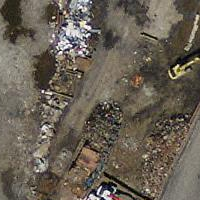
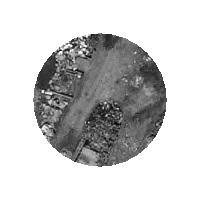
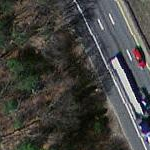
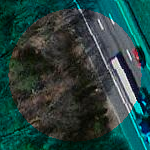
这里的示例使用马萨诸塞州航拍数据,该数据可在MassGIS网站的MassGIS Aerial Orthos页面上找到。
示例
Comparing selecting all touched vs. not all touched.
WITH source AS (
    SELECT rast, geom
    FROM ST_AsRaster(ST_Letters('R'), scalex =
> 1.0, scaley =
> -1.0) AS r(rast)
    INNER JOIN ST_GeomFromText('LINESTRING(0 1,5 6,10 10)') AS g(geom)
        ON ST_Intersects(r.rast, g.geom)
), clipped AS (
    SELECT rast,
        ST_Clip(rast, geom, touched =
> true) AS rast_touched,
        ST_Clip(rast, geom, touched =
> false) AS rast_not_touched
    FROM source
), variants AS (
    SELECT 'original' AS title, ST_Count(rast) AS pixel_count, rast AS rendered
    FROM clipped
    UNION ALL
    SELECT 'all touched', ST_Count(rast_touched), rast_touched
    FROM clipped
    UNION ALL
    SELECT 'default clip', ST_Count(rast_not_touched), rast_not_touched
    FROM clipped
)
SELECT title, pixel_count, ST_AsPNG(rendered) AS image
FROM variants
ORDER BY CASE title
    WHEN 'original' THEN 1
    WHEN 'all touched' THEN 2
    ELSE 3
END;
title        | pixel_count | image
--------------+-------------+----------------------------
 original     |        2605 | PNG image, 48 x 74 pixels
 all touched  |          16 | PNG image, 11 x 11 pixels
 default clip |          10 | PNG image, 11 x 11 pixels
(3 rows)
The following self-contained example uses three simple shapes as RGB bands. It compares cropping band 1, clipping band 1 without cropping and then restoring bands 2 and 3, and clipping every band without cropping.
WITH canvas AS (
    SELECT ST_AddBand(
        ST_AddBand(
            ST_AddBand(
                ST_MakeEmptyRaster(128, 128, 0, 128, 1, -1, 0, 0, 0),
                '8BUI'::text, 0::double precision, 0::double precision
            ),
            '8BUI'::text, 0::double precision, 0::double precision
        ),
        '8BUI'::text, 0::double precision, 0::double precision
    ) AS rast
), source AS (
    SELECT ST_SetValue(
        ST_SetValue(
            ST_SetValue(rast, 1, ST_Buffer('POINT(32 96)'::geometry, 22), 220),
            2, ST_Buffer('LINESTRING(18 20,110 110)'::geometry, 6,
                         'endcap=flat join=bevel'), 210
        ),
        3, ST_Buffer('LINESTRING(10 48,118 48)'::geometry, 7,
                     'endcap=flat'), 180
    ) AS rast,
    ST_Buffer('POINT(64 64)'::geometry, 34) AS clipper
    FROM canvas
), variants AS (
    SELECT 'original RGB' AS title, rast AS rendered FROM source
    UNION ALL
    SELECT 'band 1 cropped', ST_Clip(rast, 1, clipper, true) FROM source
    UNION ALL
    SELECT
        'band 1 only',
        ST_AddBand(
            ST_Clip(rast, 1, clipper, false),
            ARRAY[ST_Band(rast, 2), ST_Band(rast, 3)]
        )
    FROM source
    UNION ALL
    SELECT 'all bands clipped', ST_Clip(rast, clipper, false) FROM source
)
SELECT title, ST_AsPNG(rendered) AS image
FROM variants
ORDER BY CASE title
    WHEN 'original RGB' THEN 1
    WHEN 'band 1 cropped' THEN 2
    WHEN 'band 1 only' THEN 3
    ELSE 4
END;
title             | image
-------------------+-----------------------------
 original RGB      | PNG image, 128 x 128 pixels
 band 1 cropped    | PNG image, 68 x 68 pixels
 band 1 only       | PNG image, 128 x 128 pixels
 all bands clipped | PNG image, 128 x 128 pixels
(4 rows)
Crop, single-band clipping, and all-band clipping.
Source tile |
Cropped |
One-band source |
One-band clip |
|
All-band source |
All-band clip |